
Gantt chart for CodeBeamer
Gantt chart for Codebeamer
Key Features
Easily manage project schedules with Gantt charts
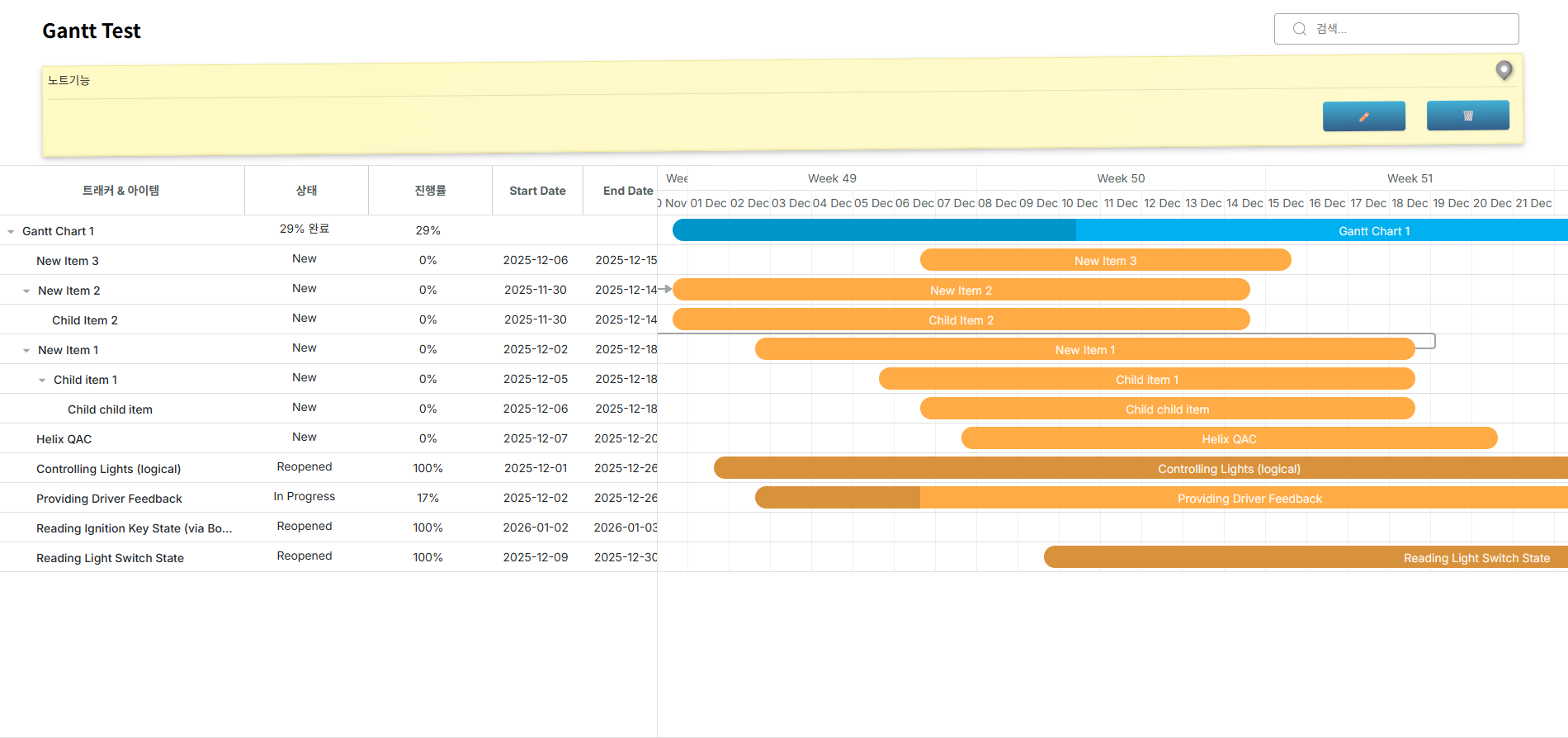
Project-wide Visualization
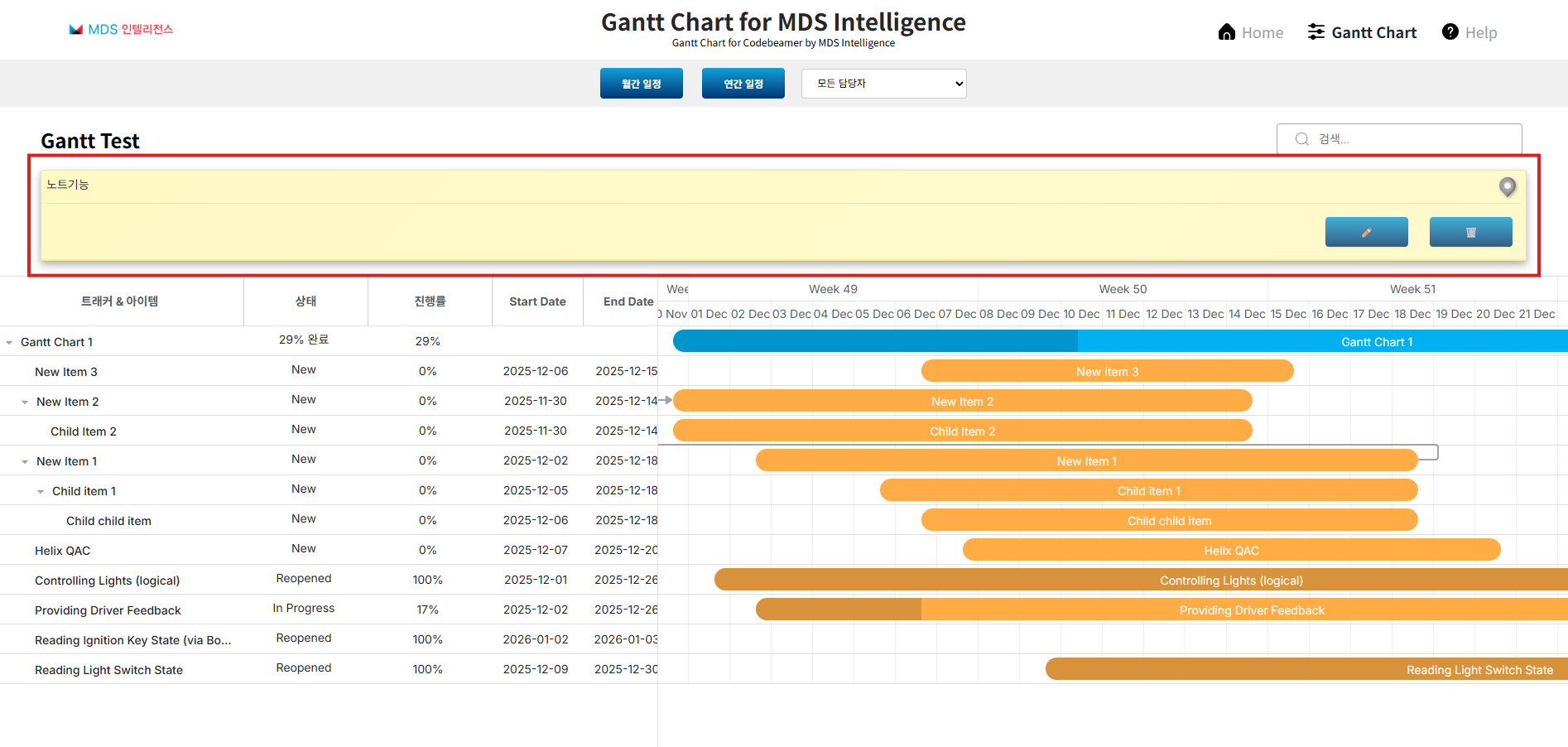
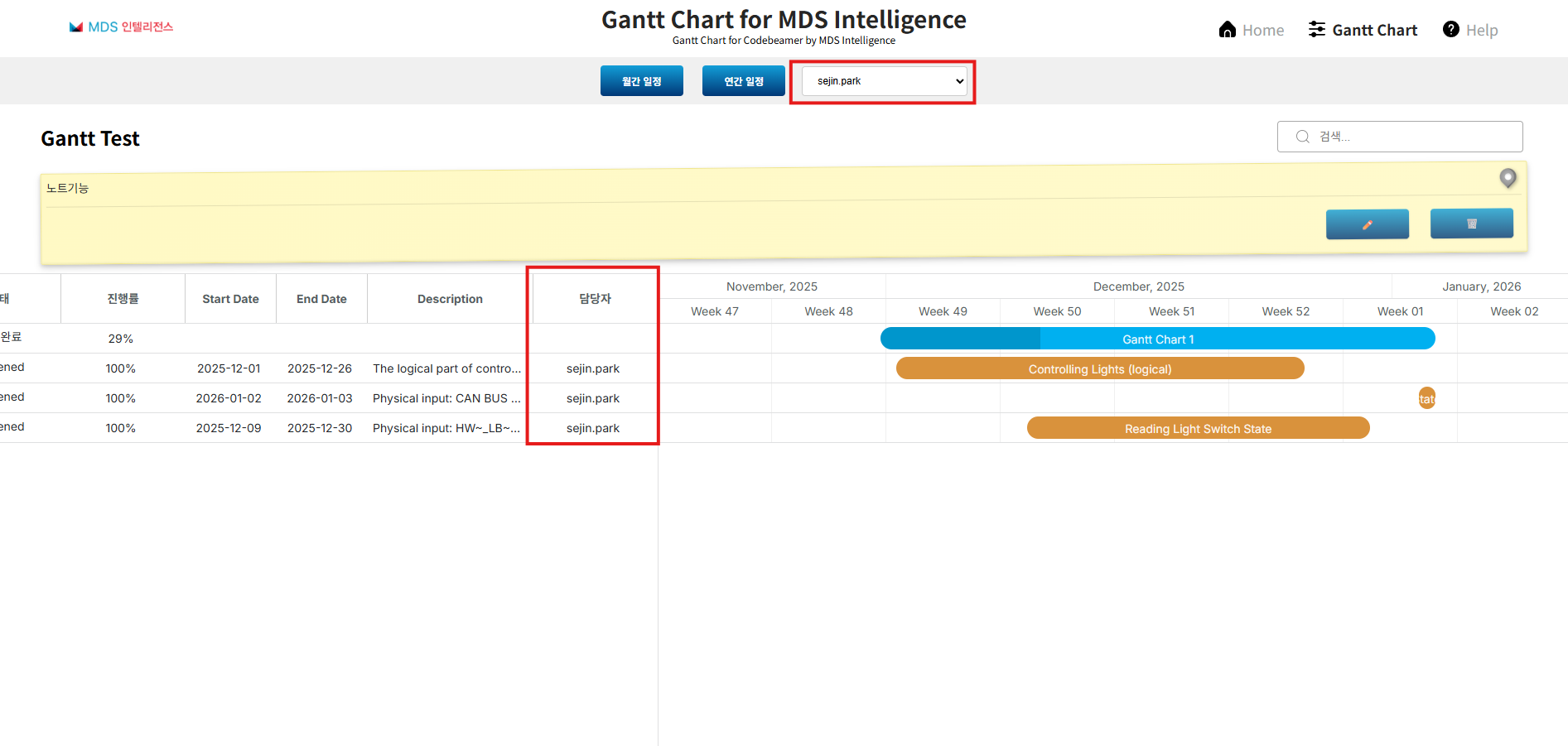
View the entire project at a glance with a timeline, not just release units
Check overall structure and full schedule through integrated view
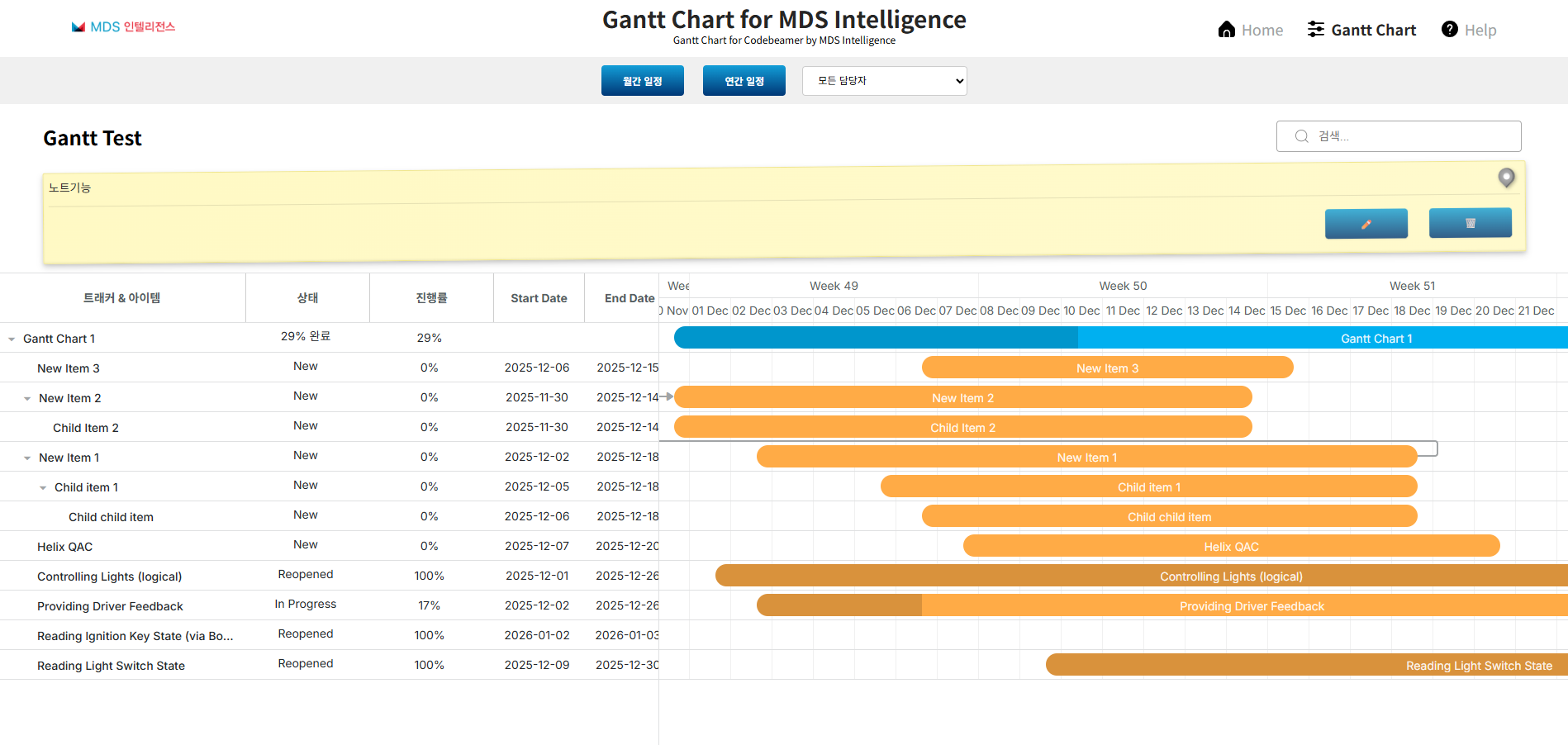
Interactive Bidirectional Schedule Modification
Adjust schedules with drag and drop
Double-click to modify details with popup editor
Flexible UI/UX
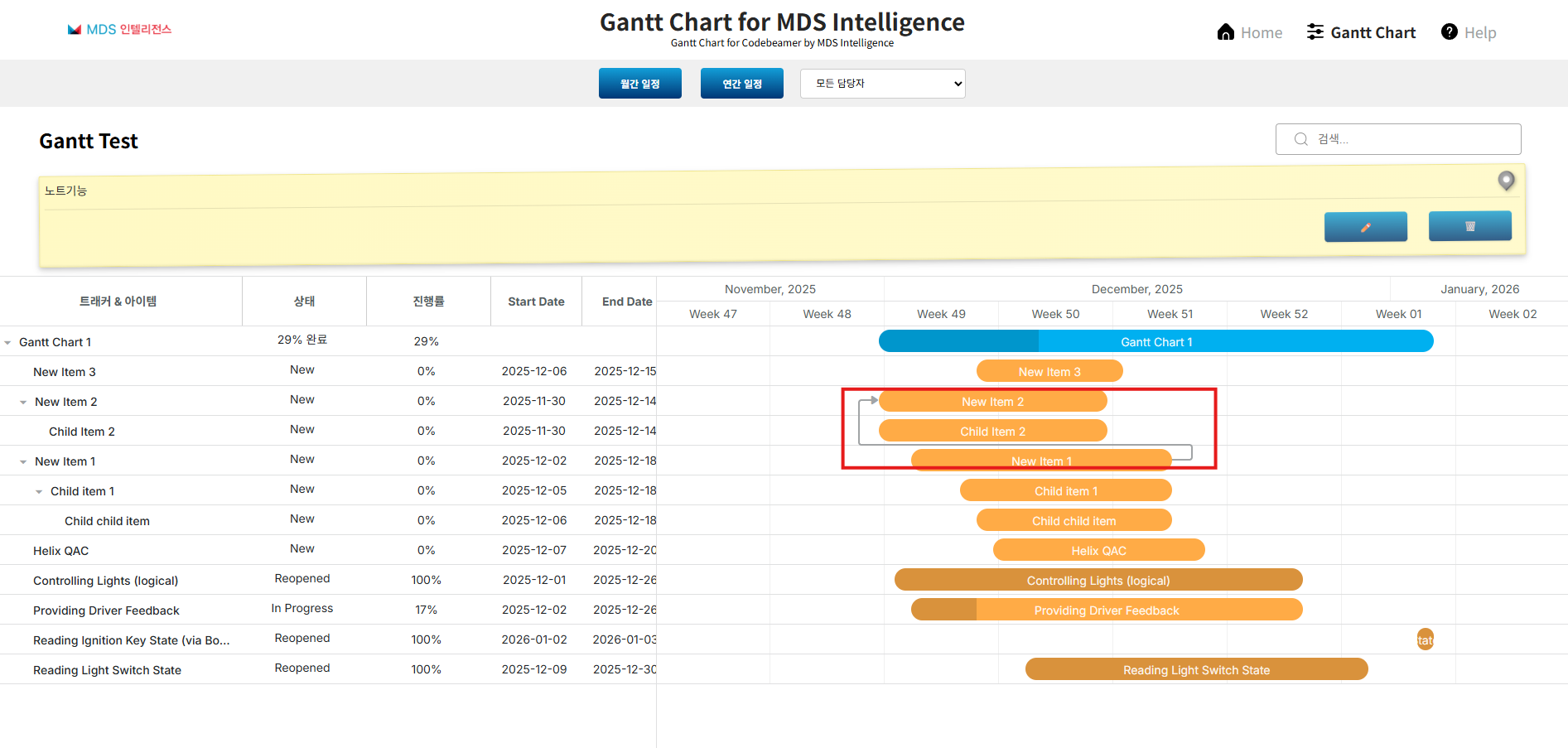
Visualize hierarchical structure and dependencies
Intuitive management even for complex project structures
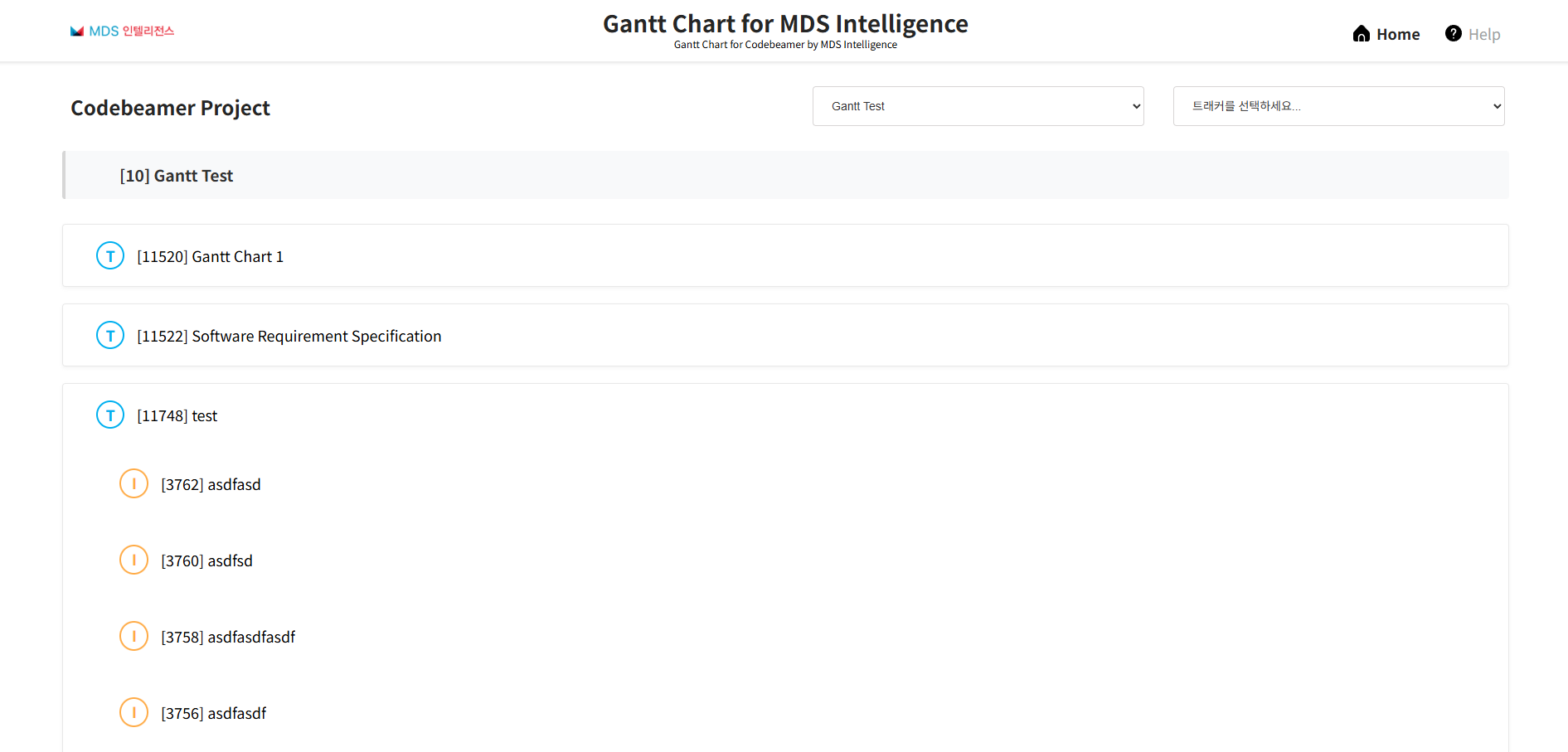
App Preview
See it in action. Click on the image to zoom in.
Release Notes
v 1.1.0
2025-11-26- User memo functionality added
- Up/Downstream (Associated Items) arrow display
- Sub-item Hierarchy structure display
New Features Added
v 1.0.0
2025-10-15- Gantt chart functionality added
- Project planning features added
- Codebeamer integration features added
Initial Release
Key Use Cases
You can gain the following benefits through this product:
Company A conducting automotive software development projects
While multiple releases and dozens of sprints were running simultaneously, they had difficulty grasping the overall project schedule and progress status.
도입 전 문제점
- Codebeamer's default Gantt Chart only applies to release trackers, making it difficult to grasp the overall project status
- Schedule adjustments and project plan changes required a lot of manual work and communication costs
- Frequent schedule delays occurred due to failure to identify project bottlenecks in time
- Manage the entire project at a glance and respond quickly to audit evaluations through immediate detection and adjustment of schedule delays and bottlenecks
- Save time by easily changing schedules with drag & drop
- Increased project schedule compliance rate due to improved management efficiency